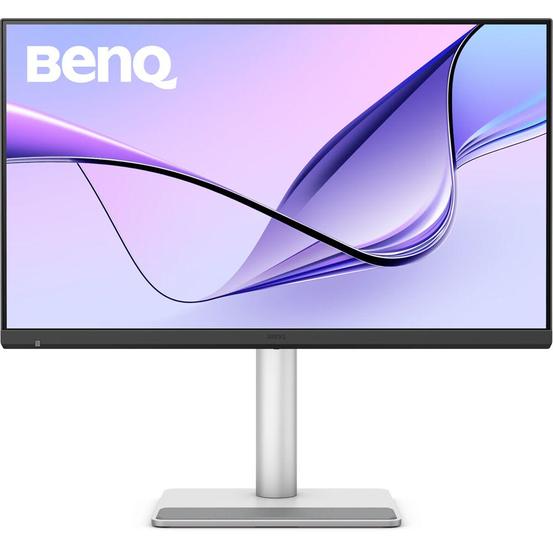
BenQ MA270S 27" 5K 70Hz Nano Gloss Mac Monitor with Thunderbolt 4 - BenQ
Loading product options
Designed to match your MacBook Pro and MacBook Air, the BenQ MA270S 27" 5K 70Hz Nano Gloss Mac Monitor with Thunderbolt 4 delivers exceptional UHD 5K (5120 x 2880) details while its nano gloss anti-glare panel provides rich, accurate colour for your photo and video editing workflow.
Connecting your MacBook through the 96W Thunderbolt 4 port allows you to transfer video, up to 40 Gb/s data, and 96W power over a single cable. The secondary 15W Thunderbolt 4 port allows you to daisy chain additional devices. Two HDMI 2.1 ports are also available alongside a 35W USB-C port to connect a Mac mini, iPad Pro, or other compatible device. An integrated USB 3.2 hub lets you connect up to 10 Gb/s devices, while the KVM lets you control multiple computers with a single mouse and keyboard. The compact base includes a rubber pad that you can rest the rear of your MacBook on, which protects your computer from scratches while providing efficient airflow.
The nano gloss panel is designed to provide exceptional detail, rich colour, and deep contrast while minimising glare.
Avoid the hassle of having different colour settings between your laptop screen and the external display. The MA270S's 27" IPS panel delivers 1.07 billion colours with 99% sRGB and DCI-P3 coverage to closely match MacBooks. HDR10 support with a 2000:1 static contrast ratio, 5 ms response time, and 450-nit brightness provides bright highlights and deep shadows.
Adjust the monitor's brightness and volume from your MacBook.
A 15W Thunderbolt 4 out port allows you to daisy chain additional MA270S monitors and other devices.
The side panel includes a USB-C and two USB-A 3.2 Gen 2 ports.
An integrated KVM allows you to control multiple connected devices simultaneously in picture-by-picture and picture-in-picture mode with a single keyboard and mouse set.
Use the built-in 3W stereo speaker system to enjoy music and videos without cluttering your desk. Plug your favourite pair of headphones into the 3.5mm audio jack for listening privacy.
Use the customizable Display Pilot 2 software to adjust your monitor's settings with your mouse. It may also be used to help organise your workflow with preset templates for multi-window browsing, a MacBook synchronised focus mode, application shortcuts, and more.
Rotate the screen 90° in either direction to view content in portrait mode. Then adjust the height, tilt, and swivel to optimise the view. With 178 degrees horizontal and vertical viewing angles, you can see the screen clearly from almost any angle. Additionally, the 100 x 100mm VESA mounting pattern allows you to attach the display to a swivel arm or multi-monitor stand.

Technocorp Australia is a trading division of The Polygon Group Pty Ltd
More Ways to Fuel Your Passion
For over 35 years, The Polygon Group has been helping Aussies connect with what they love. Whether it's musical instruments, cameras, bikes or tech, we're here for the creators, the players, and the adventurers.





Choose a minimum rental period that suits your flexibility and affordability and simply return after the minimum rental period.

Privacy Documents | Complaints | Website Terms & Conditions of Use | Designed by Datalive Software
© 2025 The Polygon Group Pty Ltd
Technocorp Australia is a trading name of The Polygon Group Pty Ltd
ABN 98 066 641 325 | Australian Credit License No. 412456
